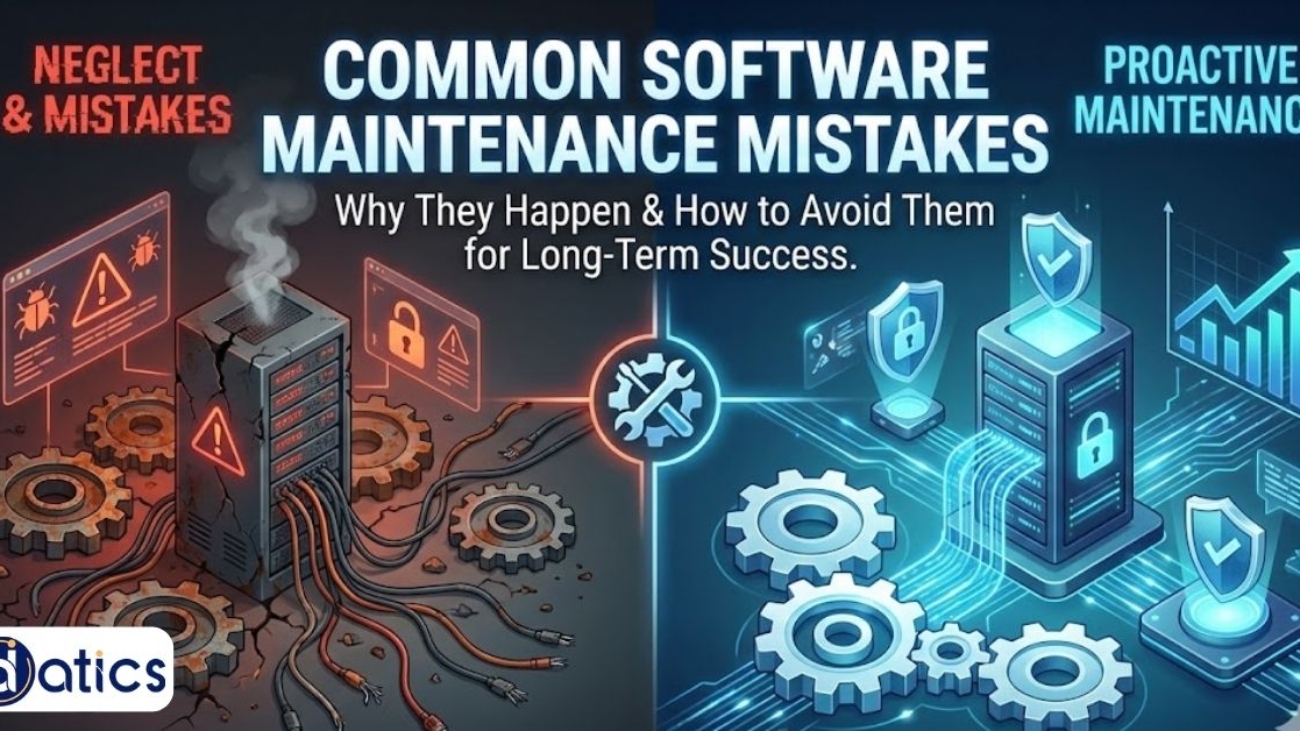
Learn about common software maintenance mistakes and how businesses can avoid them to improve product stability, security, and user trust.

Common Software Maintenance Mistakes Businesses Make

Software maintenance is often overlooked, especially when businesses are caught up in the excitement of launching a new product. However, Datics Solutions LLC emphasizes that ongoing maintenance is critical for ensuring a product remains stable, secure, and fully functional as it evolves. Without regular attention, even the most well-built products can suffer from bugs, performance issues, or security vulnerabilities over time.

For beginners, understanding the value of software maintenance services and recognizing common mistakes during this phase is crucial. It’s the first step toward building a resilient, long-lasting product. In this guide, we’ll discuss the key mistakes businesses often make during software maintenance and provide actionable strategies to avoid them, ensuring that your product remains reliable as it grows.


Why Software Maintenance Is Often Overlooked

After a product launch, businesses often shift their focus to growth and user acquisition, leaving maintenance behind. This is a mistake. Without consistent maintenance, even the most well-built software can become outdated, vulnerable to security breaches, or riddled with performance issues.

Software maintenance goes beyond fixing bugs. It involves updating the system, improving features, enhancing security, and adapting the software to meet evolving user needs. When businesses neglect maintenance, they risk creating a negative user experience that erodes trust and leads to higher churn rates.

Common Software Maintenance Mistakes

Many businesses underestimate the importance of software maintaining services and make critical mistakes. Let’s examine some of the most common errors:

1. Neglecting Regular Updates

One of the most common mistakes is failing to update software regularly. Security vulnerabilities, performance improvements, and new features are introduced with updates. Without them, products become increasingly vulnerable to issues that could have been easily addressed.

Updating software on a regular schedule ensures it stays secure, functional, and relevant to users’ needs.

2. Ignoring User Feedback

A critical part of software maintenance is listening to the users. Ignoring feedback can result in a product that no longer meets the needs of its users. Regular updates should include improvements based on real-world usage and feedback.

For beginners, implementing a system to gather user feedback can help guide future updates and prioritize maintenance efforts. This can be done through surveys, in-app feedback forms, or monitoring user behavior.

3. Overlooking Security Patches

As cyber threats evolve, so must the security measures in your software. Failing to implement necessary security patches can lead to vulnerabilities that can be exploited. Software security is not something to be addressed only after a breach occurs it must be continuously monitored and improved.

Ensuring that your software is protected against the latest threats is essential to maintaining trust with your users. Failing to do so can result in costly breaches and loss of user confidence.

4. Underestimating the Cost of Poor Maintenance

Businesses often see software maintenance as an unnecessary cost, but it’s an investment in the product’s future. Neglecting maintenance can result in costly repairs, security issues, and even the complete failure of the product.

By proactively maintaining the product, businesses save money in the long run by avoiding expensive overhauls and downtime.

5. Failure to Scale Maintenance with Product Growth

As the product grows, so does the need for maintenance. Businesses sometimes fail to scale their maintenance efforts to keep up with new features, user demands, and technical requirements. This leads to inefficiencies and performance bottlenecks.

For a growing business, it is essential to ensure that the maintenance team or plan evolves along with the product. This might include expanding the team, automating some maintenance tasks, or investing in tools that can monitor system health.

How Ongoing Maintenance Improves Product Stability and Trust

Ongoing software maintenance helps businesses build long-term trust with their users. When a product is consistently updated, users know they are receiving a secure and reliable service. Regular maintenance reduces bugs, improves performance, and enhances user experience, all of which contribute to a higher retention rate.

For beginners, incorporating regular maintenance into the product lifecycle is a best practice that should not be neglected. It helps keep your product stable and trusted by users, ensuring continued success.

The Consequences of Neglecting Maintenance

Neglecting maintenance often results in products that are difficult to use, insecure, and prone to failure. These issues can damage a company’s reputation and lead to a decrease in customer satisfaction.

When teams do not prioritize maintenance, they risk losing customers to competitors who are investing in their products’ longevity and performance.

How to Avoid These Common Mistakes

Avoiding the common mistakes above is essential for businesses that want to ensure their software is running smoothly for the long term. Here are some strategies for implementing effective software maintenance:

  • Set a Regular Maintenance Schedule: Make maintenance part of your product lifecycle, ensuring updates, security patches, and user feedback are consistently incorporated.

  • Engage with Your Users: Use feedback to guide improvements and prioritize maintenance tasks that will have the greatest impact on your user base.

  • Automate Where Possible: Automate testing, monitoring, and even some update processes to improve efficiency and minimize human error.

By following these best practices, you’ll be better equipped to keep your product running smoothly and avoid the pitfalls that many businesses fall into.

Conclusion

Software maintenance is a vital part of a product’s lifecycle that ensures the product remains secure, reliable, and relevant. By avoiding common mistakes like neglecting regular updates, ignoring user feedback, and overlooking security patches, businesses can build stronger, more sustainable products.

For beginners, understanding the importance of maintenance early and implementing best practices will pay off in the long run by reducing costs and improving user satisfaction.

If you’re looking for software maintaining services, ensure that your approach is both proactive and responsive to the needs of your users. Continuous maintenance is not an after thought, it’s an ongoing commitment to your product’s long-term success.

FAQs

What is the difference between software maintenance and software updates?

Software maintenance includes ongoing updates, bug fixes, security patches, and performance improvements to keep the product running smoothly.

Why is software maintenance important for businesses?

It helps ensure the product remains secure, reliable, and relevant over time, improving user trust and reducing risks.

How often should software be maintained?

Software should be maintained on a regular schedule, with updates, security patches, and user feedback incorporated regularly.

Can neglecting maintenance lead to product failure?

Yes, neglecting maintenance can lead to performance issues, security vulnerabilities, and loss of user trust, ultimately harming the product.

What are the first steps in implementing software maintenance?

Start by setting a maintenance schedule, gathering user feedback, and prioritizing updates and security patches based on importance.
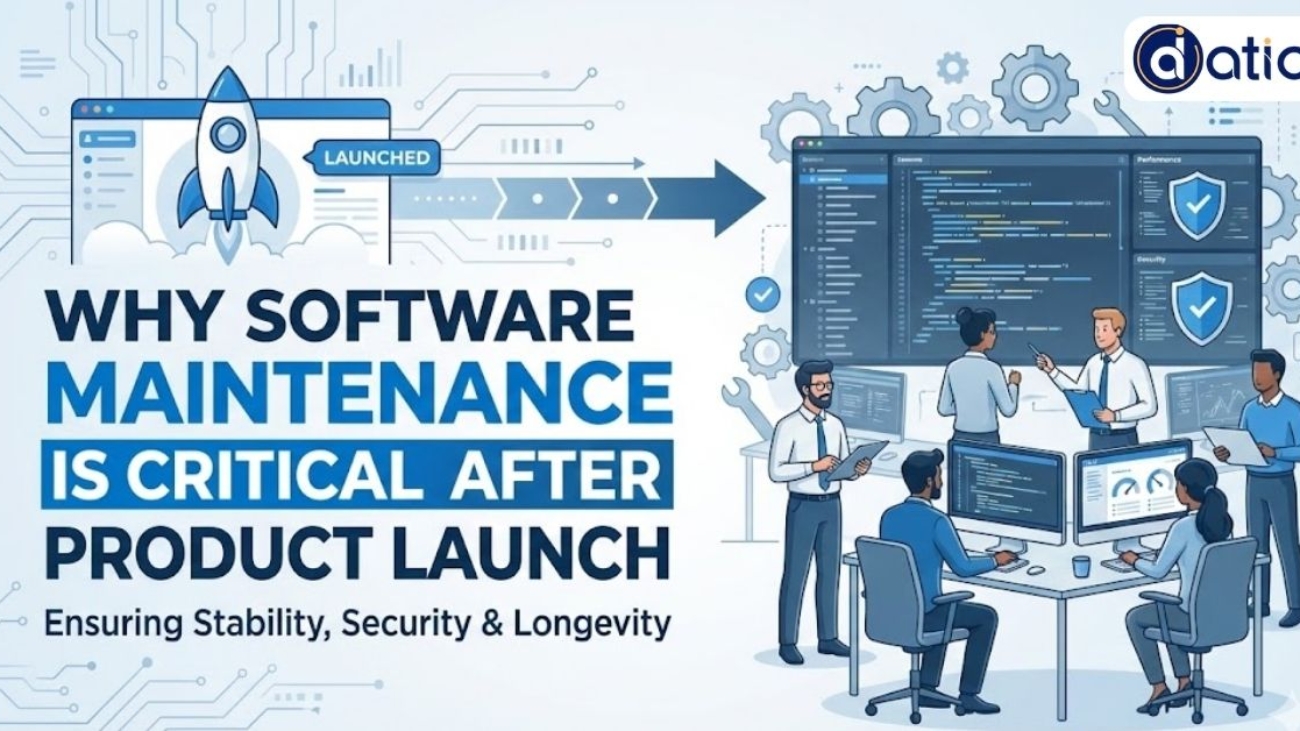

Learn why software maintenance is essential for post-launch success, and how ongoing updates and fixes keep your product stable, secure, and user-friendly.

Why Software Maintenance Is Critical After Product Launch

After launching a digital product, the work doesn’t stop. In fact, it’s just the beginning of a long journey to ensure that your product stays functional, reliable, and valuable to users. For many beginners, it’s easy to assume that once a product is launched, the focus shifts entirely to marketing, sales, and user acquisition. However, ongoing software maintenance is just as crucial for long-term success.

This post explains why software maintenance is not a one-time task but an essential, continuous part of your product’s lifecycle. It ensures that your product adapts to changing requirements, remains secure, and continuously meets user expectations. Without proper maintenance, even the most innovative product can quickly lose its relevance.

What is Software Maintenance and Why Is It Important?

Software maintenance involves updating, improving, and managing software after it has been deployed. This includes fixing bugs, making performance improvements, adding new features, and ensuring compatibility with evolving technologies and user needs.

For beginners, it’s important to view software maintenance as an investment in a product’s longevity rather than a mere afterthought. Maintenance prevents your product from becoming obsolete and keeps it in line with your company’s evolving goals.

The long-term value of a product depends heavily on how well it is maintained after launch. Products that don’t receive proper updates or ongoing fixes often face performance issues, security vulnerabilities, or user dissatisfaction, leading to poor retention and ultimately failure.

For example, Datics Solutions LLC offers professional software maintaining services that help businesses optimize their product’s performance and keep it aligned with user needs over time. This proactive approach is key to ensuring your product’s ongoing success.

Common Software Maintenance Mistakes Businesses Make

Many businesses underestimate the importance of software maintenance after product launch, leading to common mistakes that can affect their product’s success. Some of these mistakes include:

  1. Neglecting User Feedback: Ignoring feedback from users means missing valuable insights that could guide improvements. Without incorporating user input, products often fail to address real pain points, making innovation less effective.

  2. Delaying Updates: Post-launch updates should not be seen as optional. Delaying necessary updates can lead to security risks, performance degradation, and user frustration.

  3. Lack of Performance Monitoring: Failing to track the performance of your product post-launch means that issues may go unnoticed until they become critical.

  4. Overlooking Compatibility: As technology evolves, products need to stay compatible with new systems, devices, and platforms. Neglecting this can result in your product becoming outdated quickly.

By avoiding these common mistakes, businesses can ensure that their software remains effective, secure, and valuable in the long term.

How Ongoing Maintenance Improves Product Stability and Trust

Ongoing maintenance significantly enhances product stability by addressing issues before they escalate into major problems. Regular updates and fixes not only improve performance but also contribute to a smoother user experience, which fosters user trust.

Trust is critical for product success. Users expect reliable, consistent experiences. When a product fails to meet these expectations due to bugs, slow performance, or outdated features it loses user confidence. Ongoing software maintenance ensures that your product remains reliable, secure, and aligned with user needs, which helps maintain and build trust over time.

When Should You Start Software Maintenance?

It’s crucial to understand that software maintenance doesn’t begin once the product is live. Effective maintenance begins during the development phase and continues as the product is released. Having a clear maintenance plan in place ensures that any issues are addressed early, before they affect users.

The How Successful Products Are Built article discusses how strategic planning and continuous improvement set products up for long-term success. Software maintenance should be seen as part of that broader strategy, ensuring that the product continues to evolve in line with business and user requirements.

The Benefits of Regular Software Maintenance

  1. Enhanced Security: Regular maintenance ensures that security vulnerabilities are identified and patched before they can be exploited by malicious parties.

  2. Improved User Experience: By continuously fixing bugs, optimizing performance, and updating features, your product can provide users with an exceptional experience that leads to higher retention.

  3. Better Compliance: As regulations evolve, software maintenance helps keep your product compliant with industry standards and laws.

  4. Cost Efficiency: Fixing issues early through regular maintenance reduces the risk of major system failures that can result in costly fixes or downtime.

For beginners, viewing maintenance as an integral part of product development, rather than an optional task, sets the foundation for building a reliable, secure, and user-centric product.

Conclusion

Software maintenance is essential for ensuring the longevity and success of a product after launch. It is not merely about fixing bugs; it is about continuously improving the product to meet evolving user needs, market changes, and technological advancements.

For beginners, understanding the importance of ongoing maintenance early will help avoid common mistakes that can lead to product failure. Investing in proper software maintenance ensures that your product remains secure, reliable, and valuable, helping you build trust with your users and maintain competitive advantage.

FAQs

What is the purpose of software maintenance?

Software maintenance ensures that your product stays secure, updated, and aligned with user needs after launch.

When should software maintenance start?

Maintenance should begin during the development phase and continue throughout the product’s lifecycle.

How often should software maintenance be done?

It depends on the product, but maintenance should occur regularly whether through weekly, monthly, or quarterly updates depending on the product’s complexity and user needs.

What are the main types of software maintenance?

The main types are corrective (bug fixes), adaptive (ensuring compatibility), perfective (improvements), and preventive (avoiding future issues).

Can software maintenance be automated?

Yes, many aspects of software maintenance, such as performance monitoring and security patching, can be automated to improve efficiency.

How Clear Requirements Improve Product Building Outcomes

How Clear Requirements Improve Product Building Outcomes

In the high-stakes world of software development, the distance between a brilliant idea and a functional product is often bridged by a single, critical factor: clarity. Many founders and product managers rush into the coding phase, fueled by excitement, only to find themselves months later with a tool that doesn’t solve the original problem. This friction is rarely due to a lack of talent; rather, it stems from a lack of defined direction.

When we look at how successful products are built, the common denominator is a disciplined approach to documentation. Clear requirements act as the North Star for engineers, designers, and stakeholders alike. They transform abstract visions into actionable steps, ensuring that every hour of development time contributes directly to the end goal.

The Cost of Ambiguity in Development

Ambiguity is the silent killer of budgets. When developers are forced to guess the intent behind a feature, the result is inevitably rework. This “trial and error” approach to building software leads to “scope creep,” where the project expands uncontrollably without ever reaching completion.

For businesses looking to scale, this inefficiency is unsustainable. By investing time in the discovery phase, you provide a roadmap that minimizes technical debt. Professional custom software build services emphasize this preliminary work because it mitigates the risk of building features that users don’t actually need or want. Clear requirements don’t just speed up the process; they protect your capital.

Aligning Stakeholders and Engineering Teams

One of the most significant challenges in product management is ensuring that the business vision aligns with technical execution. Stakeholders often speak in terms of market impact and user benefits, while engineers focus on scalability, security, and architecture.

Detailed requirements serve as a translation layer. They ensure that:

  • Expectations are managed: Everyone knows what will be delivered in the first version (MVP) versus later iterations.
  • Resource allocation is precise: Teams can estimate timelines with higher accuracy when the “what” and “how” are predefined.
  • Quality Assurance is effective: Testers can write scripts based on objective criteria rather than subjective interpretations.

By establishing these guardrails early, Datics Solutions LLC helps partners navigate the complexities of modern software without losing sight of the core business objectives.

Enhancing the User Experience Through Specification

At its heart, a requirement is a promise to the user. Whether it is a functional requirement (what the system does) or a non-functional requirement (how the system performs), each specification should be rooted in user needs.

When requirements are vague, the user experience (UX) suffers. A developer might implement a login flow that is technically sound but frustrating for the user because the specific “ease-of-use” parameters weren’t defined. Clear documentation allows designers to create intuitive interfaces and helps developers build the logic that supports those experiences seamlessly.

Key Components of Effective Product Requirements

Component Purpose Outcome
User Stories Defines the “Who, What, and Why” from a user’s perspective. Ensures the feature provides real value.
Acceptance Criteria Provides a checklist of conditions a feature must meet. Eliminates “gray areas” during the final review.
Technical Constraints Lists platform, security, or integration limits. Prevents architectural dead-ends.

Moving from Concept to Reality

The transition from a conceptual brainstorm to a tangible product requires more than just code; it requires a commitment to the “Why.” Every feature requested should be able to answer the question: How does this move the needle for the business?

By prioritizing clear requirements, you aren’t just making life easier for your developers—you are building a foundation for a product that can grow, adapt, and succeed in a competitive market. It turns the chaotic process of creation into a streamlined engine of innovation.

Frequently Asked Questions

What is the difference between a business requirement and a technical requirement?

A business requirement focuses on the “what”—the goals and benefits for the company or user. A technical requirement focuses on the “how”—the specific technologies, data structures, and integrations needed to make the business requirement a reality.

Can requirements change during the development process?

Yes, in Agile development, requirements often evolve. However, having a clear baseline prevents “directionless” changes. Any adjustments should be documented to ensure the entire team remains synchronized.

How detailed should my initial requirements be?

They should be detailed enough that a developer could build the feature without needing to ask for clarification on the core logic. While you don’t need to specify every pixel, the functional flow must be unambiguous.

Who is responsible for writing product requirements?

Typically, this is a collaborative effort led by a Product Manager or Business Analyst, with significant input from stakeholders, UI/UX designers, and lead engineers.

What happens if we skip the requirement-gathering phase?

Skipping this phase usually leads to higher costs, missed deadlines, and a product that lacks “market fit.” It is almost always cheaper to fix a requirement on paper than to fix a feature in code.

Learn why products fail during the building phase and how clear direction, early validation, scalability, and feedback are essential to product success.

Why Products Fail During the Building Phase

The journey from concept to a finished product is challenging, and many products fail during the building phase. Despite great ideas and solid teams, the failure to execute properly can derail progress before a product reaches the market.

For beginners, understanding why products fail at this stage is critical to ensuring that the ideas and innovations you bring to life have the best chance at succeeding. It’s not enough to just build; the way you build plays an essential role in determining long-term success.

Understanding the Building Phase

The building phase is where the bulk of development occurs. This is when ideas are translated into tangible products, with features, design, and functionality coming together. It may seem straightforward, but this phase is where many mistakes are made.

Beginners often assume that the hardest part is coming up with the idea. However, the reality is that translating an idea into a market-ready product is much more complex. It involves making decisions that will impact product usability, scalability, and market fit, all while maintaining a clear vision.

Lack of Clear Product Direction

One of the primary reasons products fail during the building phase is the lack of clear product direction. When teams move forward without a well-defined product roadmap, they often make decisions that don’t align with the overall vision. This misalignment can lead to inconsistent features, miscommunication, and, ultimately, a product that fails to address the market’s true needs.

A solid foundation of clarity and purpose in the building phase ensures that every decision made is purposeful. It helps guide innovation and keeps the development on track. Each new feature or adjustment must be in alignment with the core vision of the product, ensuring it addresses the right problems and meets user expectations.

For a deeper understanding of how a clear direction drives product success, check out how successful products are built, where the process of turning ideas into scalable solutions is explored in detail.


Failing to Validate the Idea Early

One critical mistake made during the building phase is neglecting early validation of the idea. Many teams proceed with development based on assumptions about what users need or want. However, without early market validation, these assumptions can easily lead to failure.

Successful products are those that have been validated early in the process. Feedback from potential users and stakeholders during the building phase ensures that the product is on the right track before too much time and money is invested. Testing early helps teams pivot when necessary and saves valuable resources.

Datics Solutions LLC emphasizes the importance of early validation to avoid missteps that can occur if the product lacks user validation.

Lack of Focus on Scalability

Many products succeed in the short term but fail to scale effectively as user demand increases. During the building phase, it is essential to keep scalability in mind. Teams often focus so much on adding features or meeting initial deadlines that they overlook whether the product will function smoothly as it scales.

For beginners, understanding scalability at the outset can save time and prevent the need for major redesigns or overhauls later. Scalable architecture, performance considerations, and efficient code practices should be part of the planning and development process from day one.

Automation tools and solutions can help with this, ensuring that repetitive tasks are handled efficiently, leaving more time for feature development and user experience improvements. Teams that take scalability seriously early on tend to experience fewer growing pains as their product gains traction.

Underestimating the Importance of Communication

Communication is often underestimated during the building phase, yet it is a critical factor in product success. Miscommunication among team members can lead to a fragmented product, delays, or features that don’t work together seamlessly. It’s essential that all team members designers, developers, marketers, and product managers are on the same page and that goals are clearly defined.

Beginners should prioritize clear and transparent communication at every stage of the building process. Regular check-ins, progress updates, and feedback loops help ensure that everyone is working toward the same goal.

Failing to Integrate Feedback During Development

Waiting too long to collect feedback on the product can result in costly changes later on. Feedback from beta testers, early adopters, and even team members during the building phase is invaluable in refining the product. If this feedback is ignored or delayed, the product may fail to meet user expectations.

Incorporating feedback regularly during the building phase ensures that the product stays relevant and on track. Teams should establish feedback loops and use the insights to make iterative improvements rather than waiting for a finished product to hit the market.

When to Seek Professional Development Help

For many teams, especially beginners, building a product internally can become overwhelming. Outsourcing certain aspects of the development process or seeking professional custom software build services can help alleviate pressure and bring in specialized expertise. Whether it’s for UI/UX design, software architecture, or specific technology integrations, professional help can make the difference between success and failure during the building phase.

Investing in expertise early allows teams to focus on the core aspects of their product while ensuring that development remains on track and of the highest quality.

Conclusion

The building phase is crucial in turning a product idea into a market-ready solution, and it is where many products fail. Clear product direction, early validation, scalability, communication, and integration of feedback are all essential to success.

For beginners, recognizing the importance of these elements can ensure that innovative ideas are executed successfully. Building with a clear vision, an understanding of scalability, and a willingness to seek feedback will ultimately lead to a product that is well-positioned for long-term success.

FAQs

What is the most common reason products fail during the building phase?

Lack of clear product direction is often the biggest cause of failure during the building phase.

Why is early validation important in product development?

Early validation ensures that the product aligns with real user needs and reduces the risk of building something irrelevant.

How do you ensure scalability during the building phase?

By considering architecture, performance, and future user growth early in the design and development process.

What role does communication play in the product-building process?

Clear communication among all team members ensures alignment and helps avoid delays and product fragmentation.

When should teams seek professional help during the building phase?

Teams should seek professional help when they need specialized expertise or additional support to maintain product quality and timeline.

Learn what it takes to build a digital product that lasts, from clear direction and execution to scalability and long-term adaptability.

What It Takes to Build a Digital Product That Lasts

Building a digital product is no longer just about launching something new. Today, the real challenge lies in creating products that remain relevant, usable, and valuable long after their initial release. Many digital products fail not because the idea was weak, but because longevity was never considered from the beginning.

For beginners, understanding what makes a product last can prevent costly missteps. Sustainable digital products are built through clarity, adaptability, and thoughtful execution rather than speed alone.

Why Most Digital Products Struggle Over Time

Many products start with excitement but fade as user needs evolve. This often happens when early decisions focus only on short-term delivery rather than long-term usability. Features are added quickly, but structure, scalability, and maintenance are overlooked.

Another common issue is building without clear ownership or direction. When teams don’t fully understand who the product is for or how it should grow, decisions become reactive. Over time, this leads to bloated systems that are difficult to maintain or improve.

Longevity requires intention from the start, not corrections later.

Clear Product Direction Is the Real Foundation

Products that last are guided by a clear sense of purpose. This does not mean rigid planning, but rather a shared understanding of what problem the product exists to solve and who it serves. Direction helps teams make consistent decisions even as requirements change.

When direction is missing, development becomes fragmented. Teams may deliver features, but those features don’t always align. Over time, the product loses coherence, making it harder to scale or refine.

Strong direction acts as a filter, shaping what gets built and what doesn’t.

Building With Structure Instead of Shortcuts

A lasting product is rarely built through shortcuts. While rapid development may feel efficient early on, it often introduces technical and operational debt that becomes costly later. Structure ensures that systems remain understandable and adaptable as they grow.

This is where thoughtful Custom software build services become relevant. A structured build approach prioritizes maintainability, clarity, and scalability over speed alone. When the foundation is sound, products can evolve without breaking under their own weight.

Structure does not slow innovation. It enables it.

Execution Matters More Than Ideas Alone

Ideas are important, but execution determines whether a product survives. Many beginners assume that a strong idea guarantees success. In reality, execution defines how well that idea translates into real-world use.

Execution includes how features are prioritized, how feedback is incorporated, and how improvements are released over time. Products that last are not finished at launch. They are continuously refined through observation and learning.

This approach is explored further in How Successful Products Are Built, where execution is positioned as the bridge between concept and sustainability.

Scalability Is About Adaptability, Not Size

Scalability is often misunderstood as growth in user numbers. In practice, it refers to a product’s ability to adapt without disruption. A scalable product can handle new users, new features, and new use cases without constant rework.

Adaptability depends on clean architecture, modular design, and thoughtful integration choices. Products built with these principles can evolve naturally instead of requiring major overhauls.

For beginners, scalability is less about preparing for massive growth and more about avoiding fragile systems.

User Feedback Is a Long-Term Asset

Products that last stay close to their users. Feedback provides insight into what works, what doesn’t, and what needs refinement. Ignoring feedback leads to stagnation, while overreacting to it leads to instability.

Successful products balance user input with product vision. They listen carefully, test changes thoughtfully, and implement improvements gradually. Over time, this creates trust and loyalty.

Longevity grows when users feel heard and supported.

Sustainability Requires Ownership and Accountability

Lasting products have clear ownership. Someone is responsible for guiding decisions, maintaining quality, and protecting the product’s direction. Without ownership, products drift as priorities shift.

Accountability ensures that technical health, user experience, and long-term goals are not sacrificed for short-term gains. It creates continuity even as teams change.

This mindset is central to how Datics Solutions LLC approaches product development, focusing on sustainability rather than one-time delivery.

Conclusion

Building a digital product that lasts requires more than a strong launch. It demands clear direction, structured execution, adaptability, and ongoing care. Products fail when longevity is treated as an afterthought rather than a design principle.

For beginners, the key lesson is simple. Lasting products are built intentionally, with clarity and patience. When structure supports innovation and execution follows purpose, digital products can continue delivering value long after their first release.

FAQs

What makes a digital product last longer than others?

Clear direction, structured development, and adaptability contribute most to long-term success.

Is speed important when building a product?

Speed matters, but clarity and structure matter more for sustainability.

Do all products need to scale?

Not all need massive growth, but all benefit from being adaptable.

How early should scalability be considered?

Scalability should be considered from the initial design phase.

Can small teams build lasting products?

Yes. Clear ownership and thoughtful execution matter more than team size.

Learn how digital products move from idea to execution, why products fail during building, and how clear requirements improve long-term success.

From Idea to Execution: How Successful Products Are Built

Every successful digital product starts with an idea, but very few succeed based on ideas alone. What separates products that gain traction from those that stall is execution, specifically how well the idea is translated into something usable, scalable, and valuable.

For beginners, the journey from idea to execution often feels unclear. There are many decisions to make, moving parts to manage, and assumptions to test. Understanding how products are actually built helps teams avoid costly missteps and create outcomes that last beyond launch.

What It Takes to Build a Digital Product That Lasts

Building a product that survives real-world use requires more than technical implementation. It requires clarity of purpose, thoughtful planning, and an understanding of how users interact with the product over time.

Successful product building starts with defining what problem the product solves and who it serves. From there, teams translate that understanding into features, workflows, and technical architecture. When these steps are aligned, execution becomes structured instead of reactive.

This is where Custom software build services become relevant, not as a shortcut, but as a way to ensure the product is designed around real needs rather than assumptions.

Why Products Fail During the Building Phase

Many products fail not because the idea was weak, but because execution lacked structure. Common issues include unclear requirements, constant scope changes, and decisions driven by urgency instead of strategy.

When teams rush into development without validating assumptions, they often build features that users do not need. This leads to wasted effort, delayed timelines, and frustration across stakeholders.

Execution failures are rarely technical. They are usually the result of misalignment between goals, requirements, and delivery.

How Clear Requirements Improve Product Building Outcomes

Clear requirements act as a shared understanding between everyone involved in building the product. They reduce ambiguity, prevent rework, and provide a reference point for decision-making.

When requirements are well-defined, teams can prioritize effectively and make trade-offs with confidence. This clarity also supports scalability, because future changes build on a stable foundation instead of patching gaps.

Strong execution depends on knowing not just what to build, but why each part exists.

From Manual Processes to Scalable Execution

As products grow, manual workflows become harder to manage. Tasks that worked during early stages start slowing progress and increasing risk. At this point, execution depends on systems, not individuals.

This transition is closely tied to understanding What Is Business Automation and how structured processes support consistent delivery. Automation does not replace good product thinking. It reinforces it by ensuring that execution keeps pace with growth.

When execution scales alongside the product, teams maintain control instead of reacting to complexity.

Execution Is a Continuous Process, Not a Finish Line

Launching a product is not the end of execution. Real execution continues as users interact, feedback emerges, and requirements evolve. Products that succeed are built with adaptability in mind.

Teams that understand this treat execution as an ongoing discipline rather than a one-time effort. They refine features, improve workflows, and strengthen infrastructure as the product matures.

This mindset is reflected in how Datics Solution LLC approaches product execution, where clarity, structure, and long-term thinking guide each stage of development.

Conclusion

Turning an idea into a successful digital product requires disciplined execution. Ideas provide direction, but execution determines outcomes. For beginners, understanding how products are built helps reduce uncertainty and improve decision-making from the start.

Clear requirements, structured workflows, and scalable systems create products that last. When execution is intentional, products grow with confidence instead of complexity.

FAQs

What does product execution mean?

Product execution refers to turning an idea into a functional, usable, and scalable product.

Why do good product ideas fail?

Most fail due to unclear requirements, rushed development, or poor alignment during execution.

When should execution planning begin?

Execution planning should start as soon as the product idea is defined.

Is building a product only a technical process?

No. Product building involves strategy, user understanding, and structured decision-making.

How does automation support product execution?

Automation helps maintain consistency and scalability as products grow.

When Businesses Should Invest in Automation Services

When Businesses Should Invest in Automation Services

Automation is often treated as a late-stage upgrade, something businesses explore only after operations become overwhelming. In practice, the decision to invest in automation is less about company size and more about operational maturity. Knowing when automation becomes necessary helps businesses avoid costly inefficiencies and rushed implementations later.

For beginners, understanding the right timing for automation creates clarity. It shifts automation from a reactive fix into a proactive growth decision.

Why Timing Matters More Than Technology in Automation Decisions

Automation does not fail because of technology. It fails when businesses adopt it at the wrong time or for the wrong reasons. Investing too early can create rigid systems that limit learning. Investing too late often leads to rushed automation that locks in poor processes.

The most successful automation initiatives start when workflows are stable enough to understand but flexible enough to improve. At this stage, automation enhances consistency instead of replacing insight.

Signs Your Business Is Ready for Automation

Businesses usually reach a point where manual effort begins to slow progress. Tasks take longer, coordination becomes difficult, and small errors start to compound. These are not failures. They are signals.

When teams spend more time managing processes than improving outcomes, automation becomes a practical solution. This is often the moment when Automation services begin to add real value by supporting operations without increasing workload or headcount.

What Is Business Automation and Why It Becomes Necessary

Automation exists to handle repeatable, predictable work. This includes data handling, internal coordination, reporting, and system-to-system communication. The goal is not speed alone. It is reliable.

Understanding What Is Business Automation helps beginners recognize that automation is not about removing people from processes. It is about creating consistency so people can focus on decisions that require judgment and creativity.

As operations grow, consistency becomes a requirement rather than a preference.

Why Waiting Too Long Can Increase Automation Risk

Delaying automation often leads to rushed decisions. When inefficiencies pile up, businesses tend to automate everything at once. This creates complex systems built on unclear processes, increasing long-term risk.

Early, well-timed automation allows teams to improve workflows incrementally. It reduces disruption and builds confidence over time. Businesses that automate gradually are more likely to adapt successfully as needs evolve.

Automation as a Strategic Investment, Not a Cost-Saving Shortcut

Automation is sometimes viewed purely as a cost-cutting measure. While cost efficiency is a benefit, it should not be the only driver. Automation works best when aligned with long-term operational goals.

A strategic approach focuses on sustainability, clarity, and scalability. This mindset reflects how Datics Solutions LLC approaches automation, treating it as a capability that supports growth rather than a quick operational fix.

How Automation Supports Growth Without Increasing Complexity

As businesses grow, complexity naturally increases. Automation helps manage this complexity by creating predictable systems that scale with demand. Instead of adding layers of manual oversight, automation maintains structure.

This allows teams to grow responsibly, focusing on innovation and improvement rather than constant firefighting.

When Automation Is the Right Next Step

Businesses should consider automation when operations feel busy but not broken. When tasks repeat daily, coordination becomes routine, and accuracy matters more than speed, automation becomes the logical next step.

Automation at this stage supports growth instead of reacting to chaos. It enables teams to scale with confidence rather than pressure.

Conclusion

Investing in automation is less about technology and more about readiness. The right moment arrives when processes are understood, repetition increases, and growth demands consistency.

For beginners, recognizing this moment early prevents costly mistakes later. Automation, when introduced with clarity and purpose, becomes a stabilizing force that supports long-term business success.

FAQs

What is the biggest sign a business needs automation?

When repetitive tasks consume time and slow progress, automation becomes valuable.

Is automation only useful for large businesses?

No. Small and growing businesses benefit as soon as processes repeat consistently.

Can automation be introduced gradually?

Yes. Incremental automation reduces risk and improves adaptability.

Does automation replace human decision-making?

No. Automation handles predictable work so people can focus on decisions.

What happens if a business automates too late?

Delayed automation often leads to rushed systems built on inefficient processes.

How Automation Reduces Operational Costs Without Hiring More

How Automation Reduces Operational Costs Without Increasing Headcount

As businesses grow, expenses tend to grow with them. More customers usually mean more processes, more coordination, and often more people. For many companies, this creates a difficult choice: hire aggressively or accept rising inefficiencies. Automation offers a third path, one that focuses on reducing operational costs without expanding headcount.

For beginners, automation may sound like a technical upgrade reserved for large enterprises. In reality, it is a practical strategy that modern companies of all sizes use to stay lean, responsive, and financially stable as they scale.

Why Operational Costs Rise Faster Than Revenue

Operational costs rarely increase because businesses are careless. They rise because manual work does not scale evenly. Tasks that take minutes at a small scale can consume entire teams once volume increases.

Common cost drivers include repetitive administrative work, manual data handling, coordination delays, and error correction. As teams grow, these inefficiencies multiply. More people are added to manage workload, which increases payroll, management overhead, and operational complexity.

Automation addresses these hidden cost drivers by changing how work is executed rather than who executes it.

How Automation Changes the Cost Structure of a Business

Automation reduces costs by redesigning workflows instead of expanding teams. When repetitive tasks are handled by systems, employees are freed from operational friction and can focus on decision-making, quality, and growth.

This shift has a compounding effect. Automated processes run consistently, without fatigue or variation, which reduces mistakes and rework. Over time, this consistency lowers operational expenses that are often overlooked in manual environments.

Well-designed Automation services focus on stabilizing operations first, then optimizing them ensuring cost savings are sustainable rather than short-lived.

Understanding What Automation Really Replaces

Automation does not replace people. It replaces manual repetition. This distinction matters, especially for beginners who worry about workforce disruption.

Most operational roles involve a mix of judgment-based and repetitive work. Automation targets the repetitive portion data entry, routing, notifications, approvals while leaving contextual decisions to humans. This allows teams to deliver the same or better output with fewer hours spent on routine tasks.

When implemented thoughtfully, automation increases productivity per employee rather than reducing employment.

Where Businesses Save the Most Through Automation

The largest cost savings usually appear in areas where time and errors intersect. Manual processes often create hidden expenses through delays, duplication, and inconsistent execution.

Automation reduces these costs by enforcing structure. Tasks move through predefined workflows, approvals follow logic instead of memory, and information flows between systems without manual intervention. This creates predictable operations that require fewer resources to manage.

To understand this foundation more deeply, it helps to revisit What Is Business Automation, which explains how automation systems operate at a structural level before cost benefits appear.

Why Automation Reduces Costs Without Increasing Headcount

Traditional scaling relies on adding people to handle volume. Automation changes this equation by increasing capacity without increasing staff. The same team can handle more work because systems absorb repetitive load.

This approach also reduces dependency on individual performance. Automated workflows do not slow down during peak demand or require additional supervision. As a result, businesses maintain service quality while controlling labor costs.

This is especially valuable for growing companies that want flexibility without long-term payroll commitments.

Automation as a Preventive Cost Strategy

Many businesses adopt automation reactively after costs spiral or teams burn out. A more effective approach is preventive automation, where systems are introduced before inefficiencies become expensive.

Early automation helps companies avoid over-hiring, reduce onboarding overhead, and maintain clarity as operations expand. It creates a stable base that supports growth without constant restructuring.

This preventive mindset reflects how Datics Solutions LLC approaches automation prioritizing clarity, scalability, and long-term cost control over short-term fixes.

Balancing Cost Reduction and Operational Quality

Cost reduction alone is not the goal. Automation must preserve or improve quality to be effective. Poorly designed automation can cut costs temporarily while damaging customer experience or internal trust.

Successful automation aligns with real workflows. It supports teams instead of bypassing them. When automation reinforces good processes, cost savings emerge naturally without sacrificing reliability or accountability.

This balance is what separates sustainable automation from rushed implementation.

When Automation Is the Right Cost Decision

Automation becomes the right choice when manual work begins to slow growth, increase errors, or demand constant oversight. These signals indicate that the business is spending resources managing processes rather than improving them.

Investing in automation at this stage prevents costs from escalating alongside growth. It allows companies to scale output while maintaining control over expenses and operational complexity.

For beginners, recognizing this timing is key to avoiding unnecessary hiring and long-term inefficiencies.

Conclusion

Automation reduces operational costs by changing how work flows through a business not by cutting people or quality. It replaces repetition with structure, inconsistency with reliability, and reactive scaling with intentional growth.

For modern companies, automation is not a luxury or a technical experiment. It is a practical strategy for staying competitive while keeping teams lean. When applied with clarity and purpose, automation enables growth without inflating headcount or operational strain.

FAQs

How does automation lower operational costs?

Automation reduces manual work, errors, and delays, which lowers labor and rework expenses.

Does automation mean fewer employees?

No. Automation helps existing teams handle more work efficiently rather than replacing staff.

Is automation suitable for small businesses?

Yes. Small businesses often benefit the most by avoiding early inefficiencies as they grow.

What processes should be automated first?

Repetitive, time-consuming, and error-prone tasks are ideal starting points.

Can automation reduce costs without affecting quality?

Yes, when workflows are designed carefully and aligned with real operations.